Install FEA OpenSees Building
Download the setup from the Download page and run it. Access is by invitation. Sign in with the email address you were invited with, as described in Install and sign in.
Install OpenSees yourself
OpenSees is not part of this product. Get OpenSees.exe from opensees.berkeley.edu and accept its licence there. The program never installs or downloads it for you.
Our verification and benchmark runs used OpenSees 3.8.0.
Let the program find OpenSees.exe
The program looks for OpenSees.exe in this order and uses the first it finds:
- The FEA_OPENSEES environment variable (the exe, or its folder).
- The first line of %LOCALAPPDATA%\FeaStudio\opensees.txt.
- An opensees folder beside the application.
- The PATH.
- Folders named OpenSees… under Program Files, C:\ and your user profile.
If it finds none, a study stops with a message that says so. Setting FEA_OPENSEES is the surest way.
Open the sample building
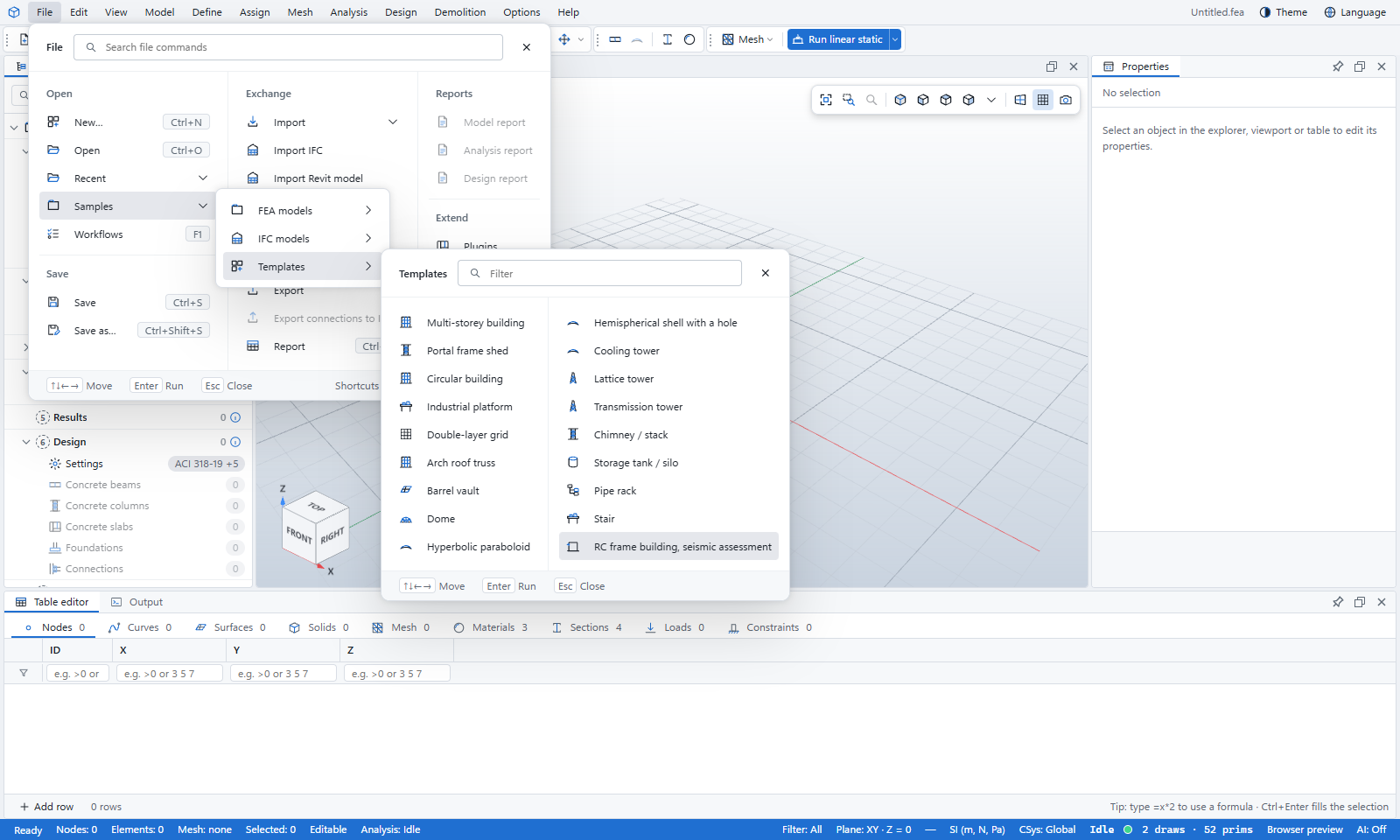
Choose File › Samples, then under Templates pick RC frame building, seismic assessment.
The program generates an RC frame building from the frame building template and adds a seismic assessment to it:
- Frame pushovers in X and Y, with triangular and uniform load patterns.
- A nonlinear time history in each direction. Its spectrum-compatible records are generated before its first run.
- An ASCE 7 seismic hazard, and seismic trial bars in the RC beams and columns for the design to replace.
Read the licence notice
The first time a study runs on OpenSees, a dialog titled OpenSees is separate software explains that OpenSees is under its own licence and that commercial use may need a licence from UC Berkeley. Choose I understand to go on. You are asked once on each computer.
Run the seismic assessment
Choose Results › Seismic › Seismic assessment. In one go the program:
- solves the static study,
- designs the RC beam lines and column stacks,
- runs each frame pushover on OpenSees,
- lists each pushover’s result at the ASCE 41 performance point (life safety) in the Output panel.
The time histories are then ready to run: select one in the Explorer and press F5.
To see what OpenSees printed, choose Results › OpenSees › OpenSees log.
A pushover of a whole building can take minutes. A progress card shows while OpenSees runs, and you can cancel it.
What you learned
- OpenSees is installed by you, under its own licence, and found through FEA_OPENSEES or the search order above.
- The sample building comes with pushovers and time histories ready to run.
- Results › Seismic › Seismic assessment designs the frame and runs the pushovers in one step.